How to Turn a Bike Ride Into Wall Art
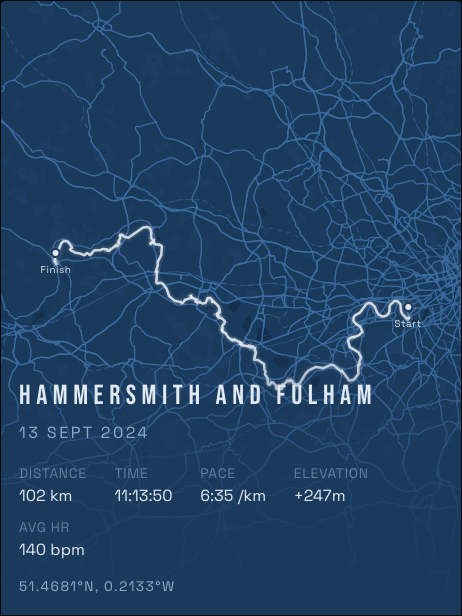
Rides cover more ground than runs, which makes them perfect for a map. A long day in the saddle draws a line right across a region, and it looks striking on a wall. A cycling route poster keeps that line, with the distance and climbing underneath it.
Which rides make the best posters
- Your longest ride. A first century or a big day out makes a dramatic line.
- A sportive or gran fondo. These routes are designed to be memorable, and you have a date to go with them.
- A loop you know by heart. The ride you do every weekend means more than any event.
- Every ride in one place. Layer them, and your regular roads glow brightest.
How to make one
- Connect Strava at runink.app. Your rides load directly, with no GPX exports. Access is read-only.
- Choose Rides when asked what goes on your map. You can include runs and hikes too.
- Pick one ride, or every ride. Choose a single route with its stats, or layer every ride in a city into one poster.
- Pick a look. Blueprint suits a technical, map-room feel, and Street Map shows the most detail.
- Get a free preview, or order a print.
Making a long ride look right
A long route can run wide or tall, so it is worth a minute of framing the map:
- Move and zoom the map until the route fills the frame without touching the edges.
- Go larger. The 50 × 70 cm size gives a long route room. Our size guide compares them all.
Does the ride need GPS?
Yes. The poster is drawn from the GPS track, so indoor rides and manually added activities have no route to show. Anything recorded outdoors on a bike computer, watch or phone and synced to Strava will work.
For the cyclist in your life
If you are shopping for someone else, a gift card lets them choose their own ride. They connect their Strava account, so you never need their login.
Design your poster free