How to Turn Your Marathon Route Into a Poster
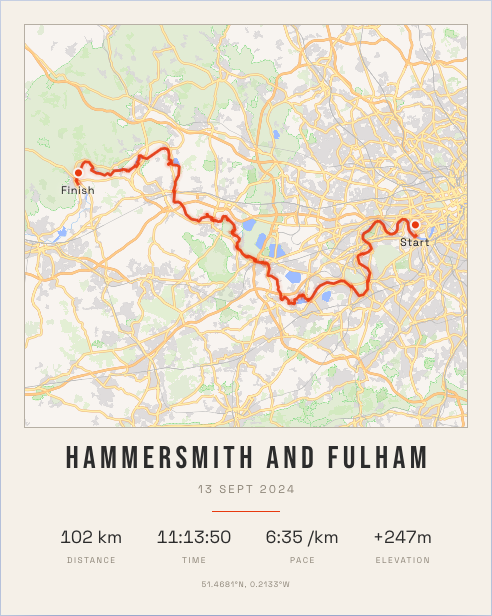
A marathon medal goes in a drawer. The route is the part you remember: the long straight where it got quiet, the bridge, the last two miles. A marathon route poster puts that line on your wall, with your finish time underneath.
If you ran with a GPS watch and it synced to Strava, you already have everything you need. Here is how to do it in a few minutes.
What goes on a marathon poster
A good race poster holds four things, and not much else:
- The route, drawn over the real streets of the city.
- The title, usually the race or the city.
- The date you ran it.
- Your stats: distance, time, pace and elevation.
That is the whole design. The map does the work, so resist adding more.
How to make one
- Connect Strava. RunInk reads your activities directly, so there is no GPX file to export. Access is read-only and we never post on your behalf.
- Pick the race. Your longest runs and races appear first, so a marathon is easy to find.
- Choose a look. There are 13 themes. Street Map is the most colourful, Noir and Midnight Blue suit a bright route on a dark map, and Japanese Ink is the quietest.
- Check the title and stats. Everything stays editable while you design.
- Get a free preview, or order a print. The preview arrives by email, sized for your phone and Instagram.
Which size suits a marathon?
A marathon is a long line, so it can carry a larger print. The 40 × 60 cm poster is the classic choice and reads clearly from across a room. If you want a statement piece, go for 50 × 70 cm, which also comes framed. Our running poster size guide has every size and price.
Tips for a better race poster
- Fix the title. "Morning Run" is what Strava called it. Use the race name, or just the city.
- Pick a theme for the room, not the race. You will look at the wall more often than you think about the marathon.
- Reframe the route. Zoom and move the map so the course sits comfortably in the frame.
Ran more than one?
You can also put several races on one poster, each on its own tile. That works well for a season, or for every marathon you have finished. If you would rather show all your training in one place, see how to make a year in running poster.
Design your poster free