How to Make a Year in Running Poster
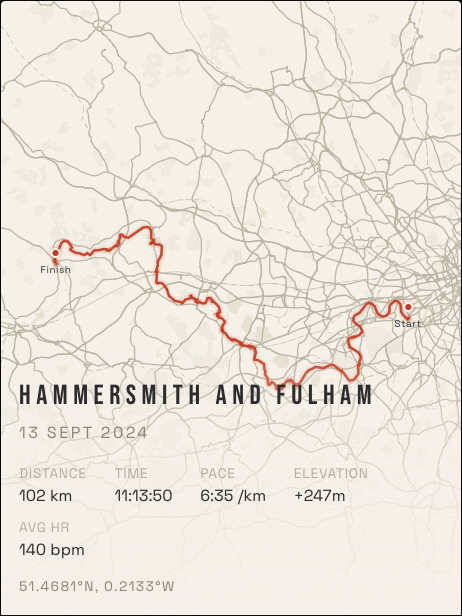
One race is a moment. A year of running is a habit, and it draws a surprisingly personal picture. Layer every run onto one map, and the routes you take most often stand out from the rest. It looks like a heat-map of your own city, because that is what it is.
What a year in running looks like
Where routes overlap, the layering does the work. Your daily loop glows brightest. The long Sunday runs reach out from the centre. The one-off trips show as thin lines at the edges. Nobody else could have made that map.
How to make one
- Connect Strava at runink.app. Your full activity history loads directly, with no exports or uploads.
- Choose "Every run". This layers your activities into one map instead of showing a single route.
- Pick your city. The city filter groups runs by where you actually ran.
- Filter by date. Cut it down to a single year. "Berlin 2026" makes a great year-in-review title.
- Choose a look and a size. Then get a free preview, or order a print.
Tips for a better year poster
- Go big. Heat-maps reward the larger sizes, and at 50 × 70 cm individual streets stay legible.
- Choose a dark theme for glow. Noir, Coral and Midnight Blue make overlapping routes stand out. Lighter themes such as Japanese Ink feel calmer.
- Include rides and hikes if you like. Anything with a GPS track can go in.
- Use the stats. The poster can show your total runs, distance and time for the period.
When to make it
The end of the year is the obvious moment, but any milestone works: your first year of running, a training block before a big race, or the years you lived in one city. If you are moving away, a poster of every run there is a lovely thing to take with you.
Lived in more than one city?
The city filter groups your runs automatically, so you can make one poster per city. For more ideas, read the city heat-map guide. If you would rather celebrate one big day, here is how to turn a marathon route into a poster.
Design your poster free